Download Wondershare Recoverit for Windows | 94FBR

Free download Download Wondershare Recoverit for Windows | 94FBR 14.0.31 5.23 MB · Windows · 60,664 downloads

Overview

Wondershare Recoverit for Windows comes from Wondershare Software, a company with a long track record in consumer software covering everything from video editing to data recovery. Recoverit is their dedicated tool for getting files back after deletion, formatting, corruption, or drive failure.

The current version leans heavily on AI-assisted scanning. Instead of a single generic scan mode, Recoverit offers a Quick Scan for recently deleted files and a Deep Scan that digs through formatted or badly damaged drives sector by sector. That Deep Scan mode is where the software earns its reputation, since it can piece together files that other basic recovery tools simply miss.

Wondershare Recoverit for Windows covers a wide range of data-loss scenarios beyond simple deletion. It handles formatted drives, lost or damaged partitions, files removed by malware, and data lost after a system crash. It also works across a broad range of hardware, including internal hard drives, external drives, SSDs, USB flash drives, memory cards, and NAS devices, and it supports common file systems like NTFS, exFAT, FAT32, and HFS+.

One detail that matters more than it sounds: the free version lets you scan and preview recoverable files before you pay anything. You see exactly what’s recoverable before committing to a license, which removes a lot of the guesswork that comes with recovery software in general.
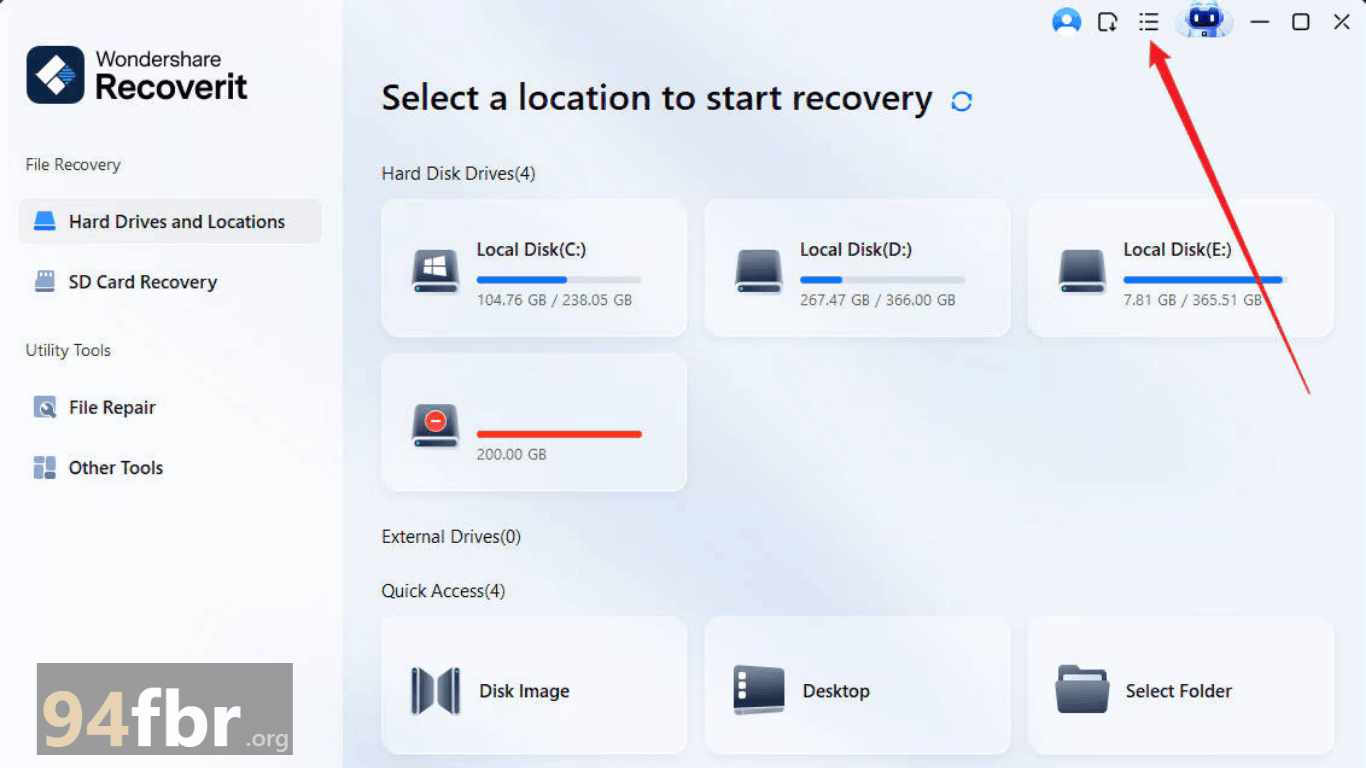
Screenshots

Download Wondershare Recoverit for Windows | 94FBR screenshot 1

Features

  • Quick Scan and Deep Scan modes: Quick Scan finds recently deleted files fast, while Deep Scan performs a thorough sector-by-sector search for harder recovery cases.
  • AI-assisted media repair: Improves recovery success for fragmented or corrupted photos and videos, including footage from cameras, drones, and phones.
  • Broad file type support: Recovers over 1,000 file types, including documents, photos, videos, audio, and emails.
  • Wide device compatibility: Works with internal drives, external drives, SSDs, USB sticks, memory cards, and NAS devices.
  • Real-time file preview: Check recoverable files before extracting them, so you know exactly what you're getting back.
  • Batch recovery and filtering: Sort recoverable files by type, size, or date to speed up large recovery jobs.
  • Multiple file system support: Works across FAT12/16/32, exFAT, NTFS, NTFS5, HFS+, and Ext2/Ext3.

Requirements

Version
14.0.31
File size
5.23 MB
Platform
Windows
Requirements
Windows 10, Windows 11, 64-bit, RAM: 8 GB minimum,
Developer
Wondershare Software
Licence
full_version
Language
Multiingual
Release date
July 8, 2026
Downloads
60,664

How to install

  1. Go to the official Wondershare website. Download only from wondershare.com or recoverit.wondershare.com to avoid bundled adware from unofficial sites.
  2. Download the installer. The initial file is small and downloads the rest of the application during setup.
  3. Run the setup file. Double-click the downloaded .exe file to begin.
  4. Approve User Account Control. Click "Yes" when Windows asks for permission to proceed.
  5. Follow the installation wizard. Accept the license terms and choose your installation folder.
  6. Launch Recoverit. Open the application once installation finishes.
  7. Select the drive or location where you lost data. Choose the specific drive, partition, or folder to scan.
  8. Run a scan and preview the results. Start with Quick Scan; switch to Deep Scan if you don't find what you're looking for.

Pros & cons

Pros

  • Deep Scan mode recovers files that many basic recovery tools can't reach.
  • Free scan and preview let you confirm recoverability before paying for a license.
  • Strong support for photo and video recovery, including fragmented and corrupted media files.
  • Covers a wide range of data-loss scenarios, not just simple deletion.
  • Clean, wizard-style interface that doesn't require technical knowledge.
  • Works across a huge range of storage devices and file systems.

Cons

  • Actually recovering files requires a paid license; the free version only scans and previews.
  • Deep Scan can take a long time on large or heavily damaged drives.
  • Subscription pricing adds up if you only need recovery occasionally rather than an ongoing plan.
  • Recovery success still depends heavily on how much the original data has been overwritten.

Related in Security

View all

Leave a reply