
Ableton Live 12 Suite Download for Windows | 94FBR

Free download Ableton Live 12 Suite Download for Windows | 94FBR 12.4.3 5.07 GB · Windows · 6,663 downloads

Overview

Ableton Live 12 Suite download for Windows comes from Ableton, a Berlin-based company that’s been building the software since 2001. Live Suite sits at the top of the product lineup, above the Intro and Standard editions, and it bundles every instrument, effect, and sound library Ableton offers in one package.

What separates Live from most other DAWs is its dual-view approach. Arrangement View gives you the traditional linear timeline that every producer recognizes. Session View works completely differently: it’s a clip-based grid where you trigger loops and ideas in real time, without committing to a fixed structure. You can build a track by improvising in Session View, then drag the pieces you like into Arrangement View to finish the song properly.

Ableton Live 12 Suite download for Windows adds tools that the smaller editions don’t include. Max for Live lets you build or install custom devices and effects. Wavetable, Operator, and other synths cover sound design from clean digital tones to complex modulation. Stem separation, added in a recent update, lets you split vocals, bass, and drums out of any audio clip in just a few clicks, which used to require a separate tool entirely.

Live also updates constantly. Recent releases added Link Audio, a feature that streams audio between Link-enabled devices over a local network, so you can collaborate or monitor external gear without extra cables or manual latency adjustments. That kind of update cadence is a big reason experienced producers stick with Live instead of switching platforms every few years.
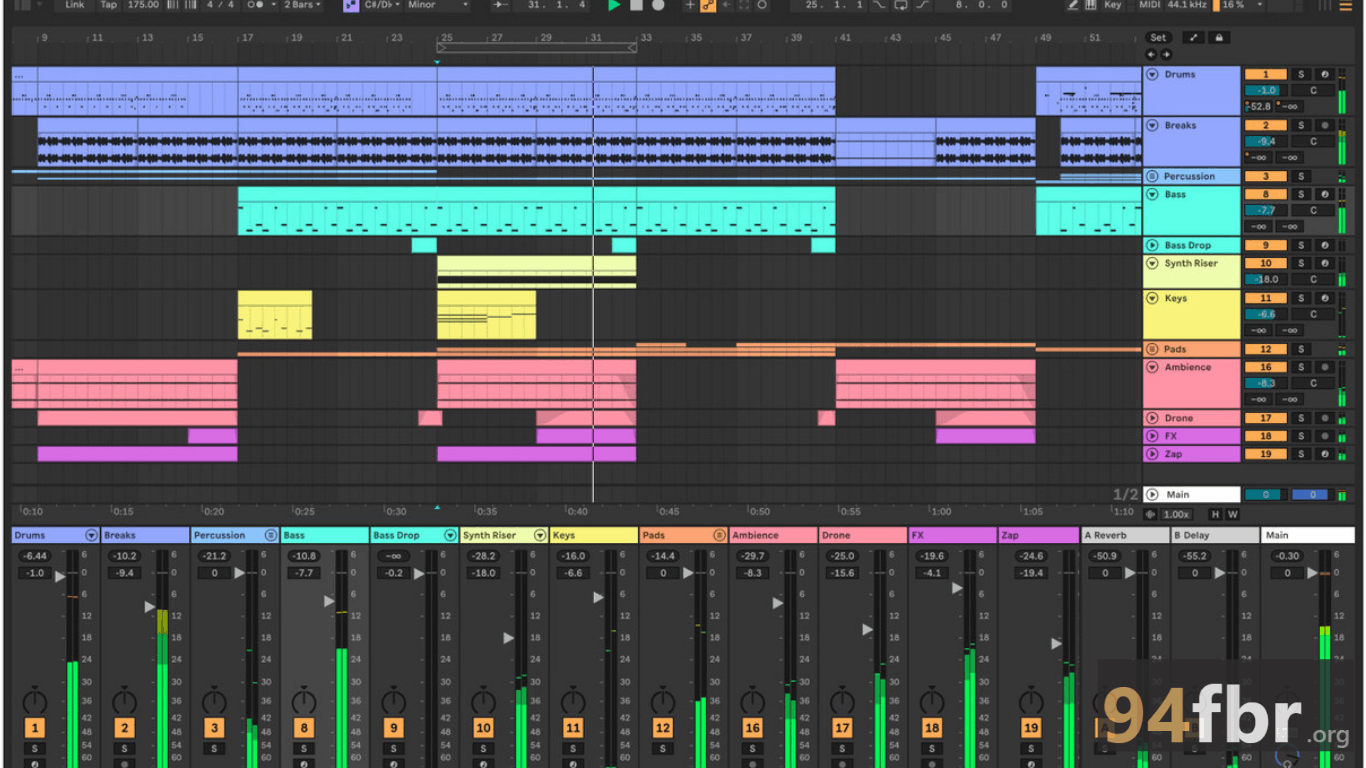

Screenshots

Ableton Live 12 Suite Download for Windows | 94FBR screenshot 1

Features

  • Session View and Arrangement View: trigger clips freely for improvisation, or work in a traditional linear timeline. Both views stay in sync at all times.
  • Full instrument and effects bundle: Wavetable, Operator, Granulator III, and dozens of other synths and effects, all included in the Suite edition.
  • Max for Live: build custom devices, effects, and instruments, or install ones made by the Ableton community.
  • Stem separation: split vocals, bass, drums, and other elements out of any audio clip, directly inside Live.
  • Link Audio: stream audio between Link-enabled devices and apps over a local network in real time, without extra hardware.
  • Extensive sound content library: thousands of samples, loops, and presets included, with more available through Packs.
  • Deep hardware integration: built-in support for Push and Move, Ableton's own hardware controllers, plus wide MIDI controller compatibility.

Requirements

Version
12.4.3
File size
5.07 GB
Platform
Windows
Requirements
Windows 10, Windows 11, 64-bit, RAM: 8 GB minimum,
Developer
Ableton
Licence
full_version
Language
Multiingual
Release date
May 5, 2026
Downloads
6,663

How to install

  1. Go to the official Ableton website. Download only from ableton.com to avoid unofficial installers bundled with malware.
  2. Create an Ableton account. You need one to start a trial or activate a purchased license.
  3. Choose your edition. Select Suite if you want every instrument, effect, and sound pack included from the start.
  4. Download the installer. Ableton provides a direct download link once you've chosen your edition and confirmed your operating system.
  5. Run the setup file. Double-click the downloaded file and follow the setup wizard.
  6. Select your installation directory and file associations. Stick with the defaults unless you have a specific reason to change them.
  7. Authorize Live. Sign in with your Ableton account when prompted, which requires an active internet connection.
  8. Download additional sound content. Choose which sound packs to install now, since you don't need every pack immediately.

Pros & cons

Pros

  • Session View offers a genuinely different, more intuitive workflow for writing and performing music.
  • Suite edition includes every instrument, effect, and sound pack Ableton makes, so you're not buying add-ons later.
  • Frequent, meaningful updates rather than a yearly reskin.
  • Strong reputation for live performance reliability on stage.
  • Max for Live opens the door to near-unlimited customization for advanced users.
  • Active community and extensive official documentation make troubleshooting easier.

Cons

  • The Suite edition costs significantly more than Standard or Intro, and there's no monthly subscription option.
  • Full sound content downloads can reach up to 76 GB, which takes real time and disk space.
  • The learning curve for Session View can confuse producers coming from purely linear DAWs.
  • Requires an internet connection to authorize the software, even for offline production later.

Related in Media Tools

View all

Leave a reply