Download Bandicut Video Cutter 4.2.5.2562 for Windows

Free download Download Bandicut Video Cutter 4.2.5.2562 for Windows 4.2.5.2562 5.2 MB · Windows · 77,847 downloads

Overview

Bandicut Video Cutter for Windows download equips your PC with one of the fastest and most efficient lossy and lossless video cutting, trimming, and joining utilities available. Developed by Bandicam Company, this specialized video editing tool enables users to slice unwanted sections out of video files or merge multiple clips together without re-encoding the underlying video stream, maintaining original picture quality.

Bandicut video cutter for Windows functions as a high-speed video processing utility engineered to trim, cut, split, and merge large media files quickly. Traditional video editors re-encode the entire file when exporting, which takes time and reduces quality. Bandicut solves this issue by offering a High-Speed Mode. This mode edits video keyframes directly without decoding or re-encoding the video track, allowing for rapid file processing.

The software seamlessly handles high-resolution video streams up to 4K Ultra HD. It supports virtually all standard video formats, including MP4, AVI, MKV, MOV, WMV, and TS. Whether you need to trim unwanted ads from screen recordings, split long gameplay videos into smaller chapters, or extract audio tracks into standalone MP3 files, 94fbr Bandicut offers a simple interface backed by hardware acceleration technology.
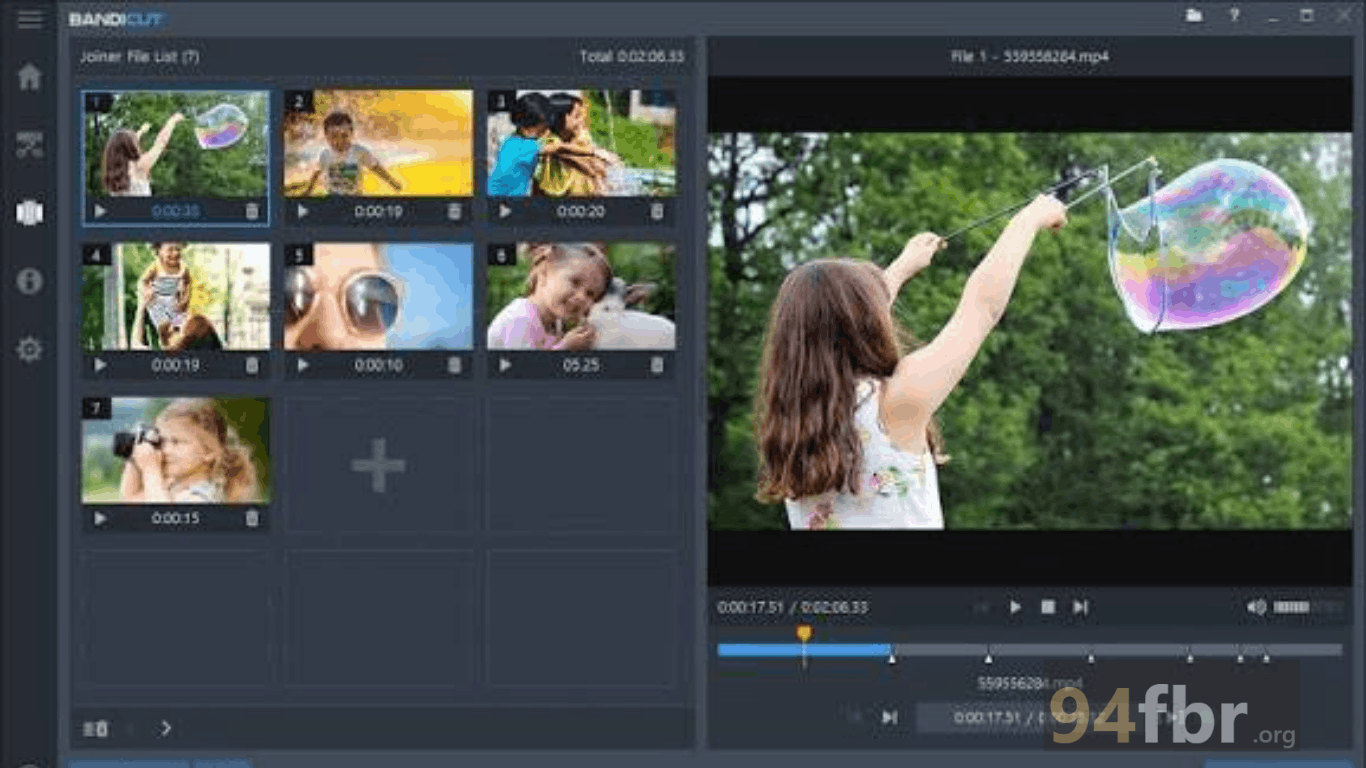
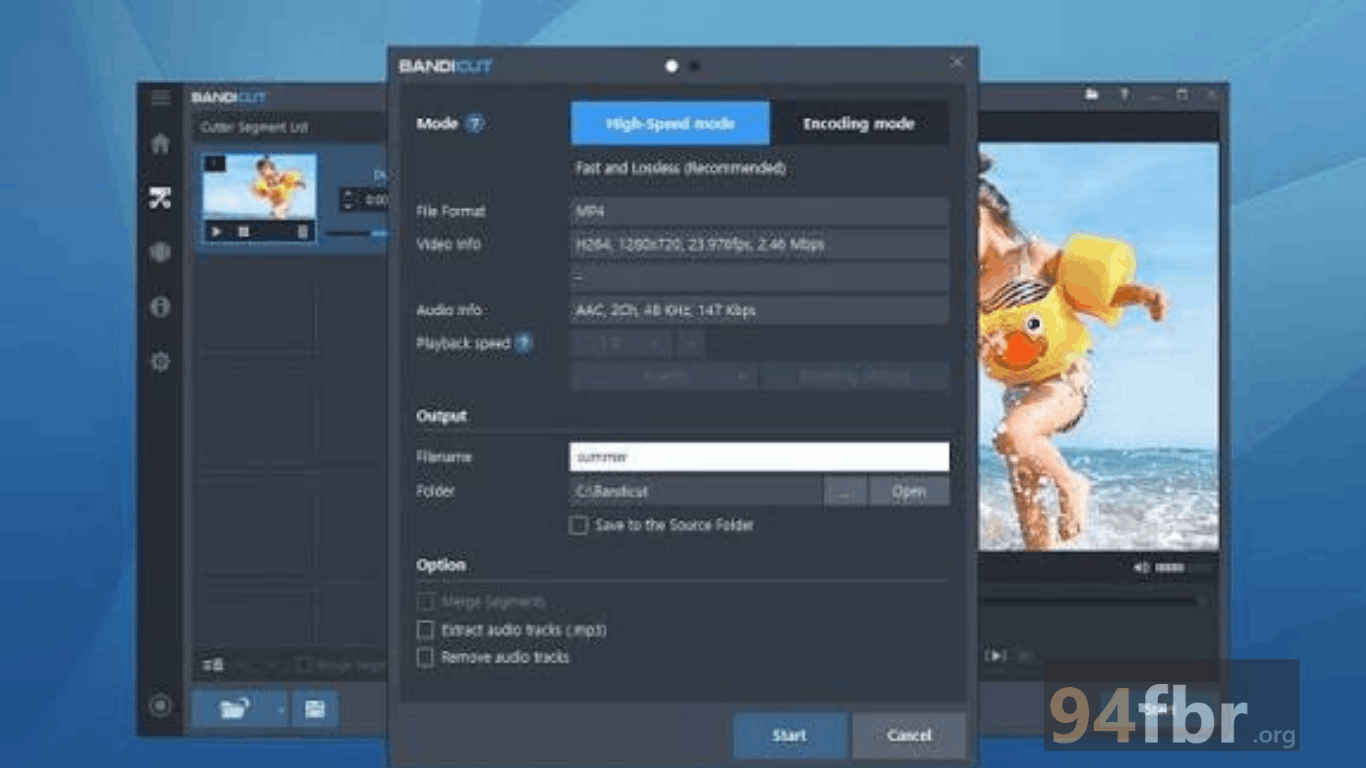
Screenshots

Download Bandicut Video Cutter 4.2.5.2562 for Windows screenshot 1
Download Bandicut Video Cutter 4.2.5.2562 for Windows screenshot 2

Features

  • High-Speed Lossless Trimming Mode: Cuts and splits video segments without re-encoding, preserving 100% of the original visual quality while exporting at maximum drive speeds.
  • Hardware-Accelerated Encoding: Integrates Intel Quick Sync Video, Nvidia CUDA/NVENC, and AMD VCE/VCN hardware acceleration for fast rendering in Encoding Mode.
  • Precise Keyframe Splitting: Allows users to set cutting points precisely by individual frames or keyframes to ensure clean transitions between cut segments.
  • Multiple Video Joining: Merges multiple separate video files into a single unified continuous video file, even across varying source formats.
  • Audio Track Extraction: Strips and extracts audio tracks directly from video clips into standalone MP3 or AAC files with a single click.
  • Wide Format Compatibility: Supports input and output processing across various video containers, including MP4, MOV, MKV, AVI, FLV, TS, VOB, and WMV.

Requirements

Version
4.2.5.2562
File size
5.2 MB
Platform
Windows
Requirements
Windows 10 or Windows 11, 4 GB or more
Developer
Bandicam
Licence
Proprietary
Language
Multiingual
Release date
Feb 13, 2026
Downloads
77,847

How to install

  1. Download Official Setup File: Download the official Windows setup packageto your PC.
  2. Execute Installer Package: Open your Downloads directory and double-click. Click Yes when the Windows User Account Control (UAC) prompt requests administrative access.
  3. Run Setup Wizard: Select your preferred installer language, click Next, and accept the End User License Agreement (EULA).
  4. Choose Target Installation Path: Select your target directory and click Next to extract core application components.
  5. Launch & Start Editing: Open Bandicut from your Start Menu or Desktop shortcut, choose Cut, Split, or Join, import your source video file, and begin trimming.

Pros & cons

Pros

  • High-Speed Mode edits and exports large 4K video files in seconds without quality loss.
  • Minimal system resource footprint ensures smooth operation even on entry-level laptops.
  • Simple, clean user interface makes video cutting easy for non-technical users.
  • Built-in hardware acceleration speeds up file conversions when changing video codecs.

Cons

  • The free evaluation version adds a small watermark end-card to rendered output videos.
  • High-Speed Mode requires cuts to align with video keyframes; non-keyframe cuts require standard Encoding Mode.

Related in Video Editor

View all

Leave a reply