Download PolyBoard 8 for Windows 2026

Free download Download PolyBoard 8 for Windows 2026 7.0.8 15.2 MB · Windows · 6,576 downloads

Overview

PolyBoard for Windows download equips your PC with a specialized 3D Computer-Aided Design and Manufacturing (CAD/CAM) software engineered specifically for cabinet making, furniture design, and joinery production. Developed by Wood Designer (Boole & Partners), PolyBoard calculates 3D structures, panel cutting lists, material costs, and CNC manufacturing data in real time as you adjust design parameters.

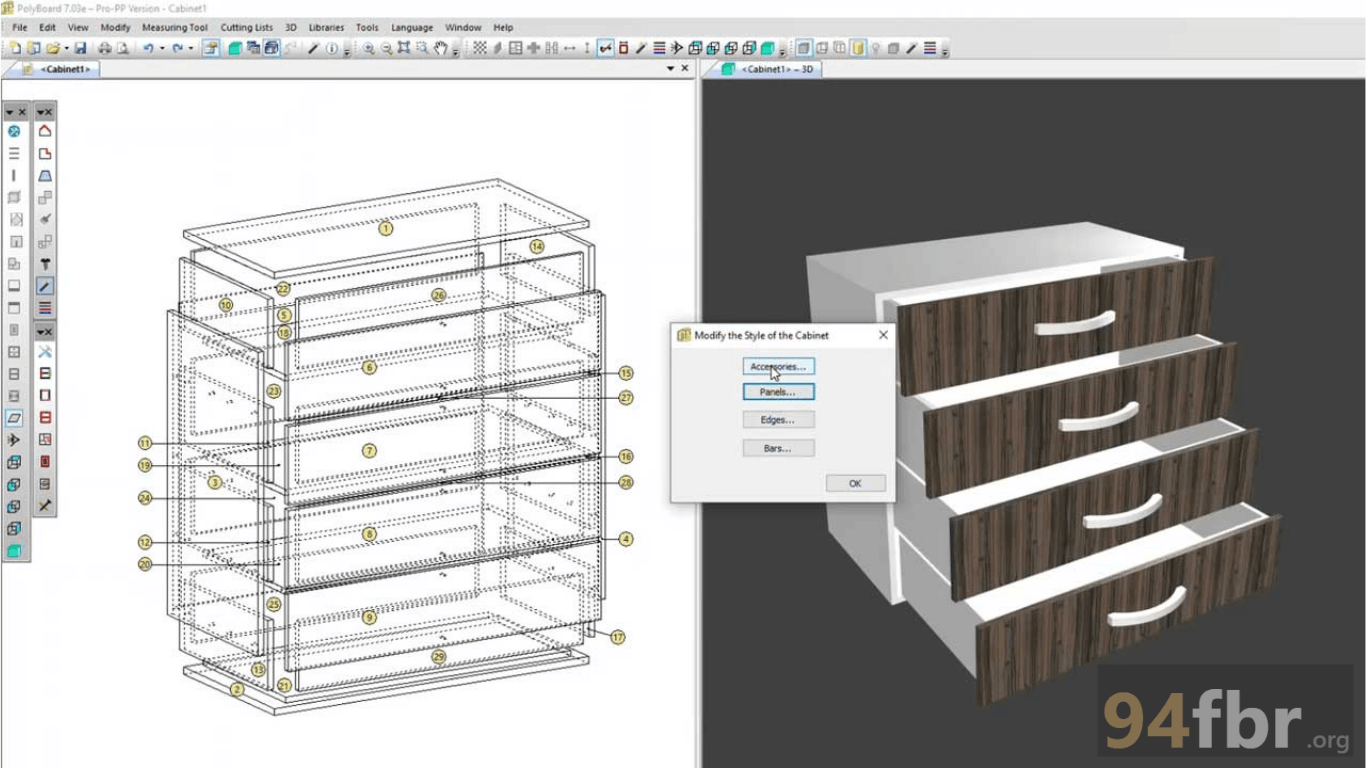
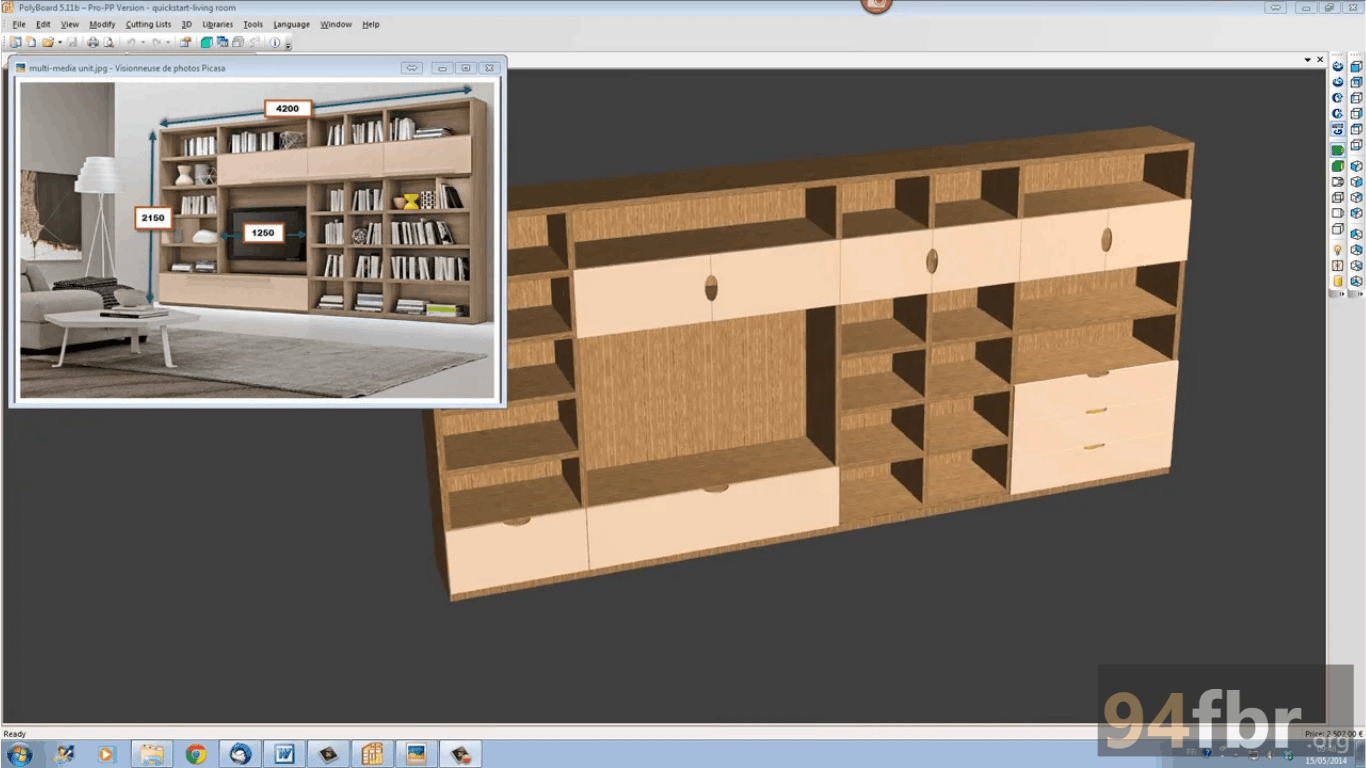
PolyBoard for Windows operates as an interactive parametric furniture design platform built for professional woodworkers, interior designers, and industrial cabinet manufacturers. Unlike general-purpose 3D modeling programs like AutoCAD or SketchUp, PolyBoard uses specialized parametric rules designed specifically for cabinetry. When you alter the overall width, height, or depth of a cabinet unit, PolyBoard automatically recalculates every individual panel dimension, shelf position, hardware location, and joinery groove.

The 94fbr software supports complex 3D assembly construction—including sloped cabinets, corner units, curving structures, and intricate drawer assemblies. PolyBoard integrates directly with cutting list optimization tools (such as OptiPlanning and OptiNest) and generates post-processor machine code (DXF, G-Code) compatible with major CNC machinery brands (Homag, Biesse, Felder, Masterwood, and SCMP).
Screenshots

Download PolyBoard 8 for Windows 2026 screenshot 1
Download PolyBoard 8 for Windows 2026 screenshot 2

Features

  • Parametric 3D Cabinet Design: Recalculates all internal components, shelves, doors, and hardware position rules automatically whenever you change overall frame dimensions.
  • Automatic Cutting List Generation: Creates detailed, millimeter-accurate panel cutting lists complete with edge-banding specifications, grain directions, and material waste calculations.
  • CNC Machine Post-Processor Integration: Generates native machine code and 2D/3D DXF files for seamless export to CNC routing and drilling machines.
  • Comprehensive Hardware & Assembly Rules: Applies drill hole patterns, dowel placements, cam locks, hinges, and drawer runners based on customizable manufacturing rules.
  • Material Costing & Estimates: Calculates real-time material costs, labor estimates, and hardware expenses as you build your design.
  • Interactive 3D Visual Rendering: Displays high-resolution 3D textures, realistic wood grains, and interactive dynamic views of doors and drawers opening.

Requirements

Version
7.0.8
File size
15.2 MB
Platform
Windows
Requirements
Windows 10 or Windows 11, 4 GB or more
Developer
Wood Designer
Licence
Proprietary
Language
Multiingual
Release date
January 2026
Downloads
6,576

How to install

  1. Download Official Setup Executable: Download the official Windows installer to your computer.
  2. Execute Installation Package: Open your Downloads directory and double-click. Click Yes when the Windows User Account Control (UAC) prompt requests administrative access.
  3. Run Setup Wizard: Select your preferred installation display language, click Next, and accept the End User License Agreement (EULA).
  4. Choose Destination Directory: Confirm your target installation directory and click Install.
  5. Launch & Setup Manufacturing Rules: Open PolyBoard from your Desktop shortcut, activate your license key (or select Evaluation Mode), and configure your workshop manufacturing rules to start designing.

Pros & cons

Pros

  • Parametric editing saves hours of manual drafting time when resizing custom furniture projects.
  • Direct export to CNC post-processors eliminates manual programming errors on the workshop floor.
  • Extremely lightweight setup installer puts minimal load on PC hardware.
  • Highly customizable joinery and manufacturing rules adapt to any workshop equipment setup.

Cons

  • The unlicenced free demo version blocks output file exports (cutting lists, DXF, and CNC code).
  • The dense parametric interface requires dedicated setup time to configure custom workshop hardware rules.

Related in Graphics

View all

Leave a reply