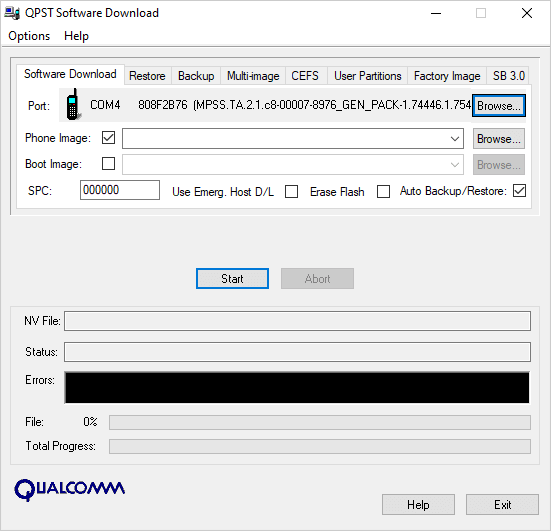
QPST Tool download for Windows, also known as Qualcomm Product Support Tools, is a Windows-based software package designed for servicing and managing Android devices powered by Qualcomm Snapdragon chipsets. It provides several utilities that allow mobile technicians and experienced users to perform firmware-related operations, configure supported devices, manage diagnostic connections, and work with Qualcomm-based mobile hardware. Unlike a basic smartphone management application, QPST includes multiple specialized components that are designed for different servicing tasks.
One of the main purposes of QPST Tool latest Version is to provide access to Qualcomm device communication and service functions through a Windows computer. When a compatible smartphone is connected using a USB cable. The software can communicate with the device through supported Qualcomm interfaces and drivers. Depending on the phone model, firmware configuration, and available diagnostic permissions. Technicians can use different QPST modules to perform specific operations.
The QPST package includes several useful utilities, including QPST Flash Tool Configuration, Software Download, Service Programming, and other device-related comAponents. Each utility has a separate purpose. QPST Configuration helps users identify compatible connected devices and manage available ports. Software Download is used for supported firmware-related operations, while Service Programming provides access to certain device configuration functions on compatible hardware.
Another important component associated with the Qualcomm servicing ecosystem is QFIL, which stands for Qualcomm Flash Image Loader. QFIL is commonly used to flash compatible Qualcomm firmware packages. When a device supports the required Emergency Download Mode (EDL) connection. However, QFIL and QPST should not be treated as identical applications. QFIL is a specific flashing utility. Whereas QPST Tool download for Windows is a broader software package containing multiple servicing tools.
You can also download: BFT Tool By BossV Setup for Android Devices Repair