TFT MTK Module Tool v7.0.0 Download (Latest 2026)

Free download TFT MTK Module Tool v7.0.0 Download (Latest 2026) v7.0.0 Windows · 90,379 downloads

Overview

MTK Firmware Tool errors, boot problems, or software glitches in Android devices with a MediaTek processor can complicate repairs. TFT MTK Module Tool v7.0.0 offers a practical solution for technicians who need to perform maintenance tasks on compatible MediaTek smartphones and tablets. This tool allows you to flash firmware (using *scatter* files), remove FRP lock, remove screen locks, manage operations related to Mi accounts, and remove “Demo Mode” on compatible Vivo devices. MTK Servicing Tool facilitates bootloader unlocking, device diagnostics, and read/write functions via USB, MTP, and USB VCOM modes.

MTK Flash Tool allows flashing “scatter” type firmware on devices equipped with MediaTek processors. This tool also facilitates the resetting of screen locks, FRP locks, and MI account locks, as well as allowing the unlocking of the bootloader on devices with a MediaTek SoC.

In this post, you will find the direct link to download TFT MTK Module Tool (all versions) to your computer. The file is offered in compressed (ZIP) format and includes the 94fbr MTK USB drivers and a tutorial. Scroll down to access it.
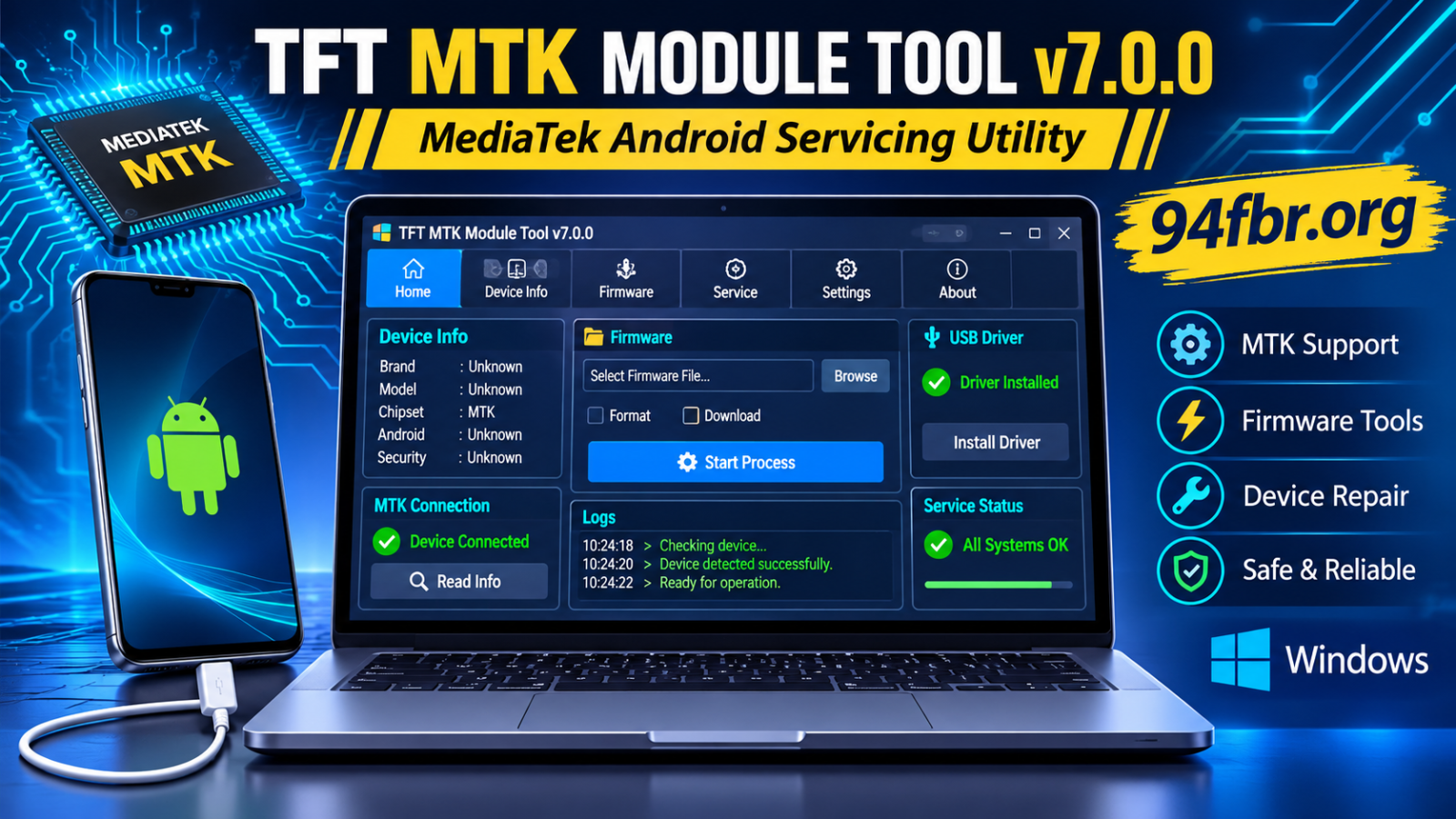
What is TFT MTK Module Tool v7.0.0?

TFT MTK Module Tool 2027 is a technical service tool for mobile devices, designed for Windows and geared towards Android smartphones and tablets equipped with MediaTek processors. It allows technicians to perform various software operations. Such as firmware installation (flashing) using “scatter” files, FRP protection removal, screen lock reset, device formatting, and bootloader unlocking. Additionally, TFT MTK Module Tool free offers functions for managing Mi Accounts, bypassing authentication protection, and performing maintenance tasks on devices. The tool operates via USB connections and provides different service modes for compatible devices.

Features

  • The best tool: In comparison, it is the best free tool for devices with MediaTek SoC.
  • The best tool for flashing original ROMs (stock ROMs): With this tool, you can quickly flash original ROMs based on “scatter” files.
  • One-click FRP removal: You can easily remove the FRP lock with this tool using just one click.
  • Factory reset: The tool also allows you to perform a factory reset on your MediaTek devices.
  • Bootloader unlock: The TFT MTK tool allows you to unlock the bootloader of your device.

My Personal Experience with TFT MTK Module Tool v7.0.0

Personally, I tested the TFT MTK Module Tool v7.0.0 for maintaining Android devices with a MediaTek processor, and my overall experience was quite positive. The tool offers an intuitive working environment, making it easy to navigate through the available options and understand the various maintenance functions.

During its use, I found the interface relatively simple and the workflow, in general, very practical. I especially liked having various MediaTek-related functions organized into a single application, instead of having to switch between several different utilities. The process was smooth in the maintenance tasks I performed, and I was satisfied with the results.

Another positive aspect is its simple Windows interface, which makes working with the application more convenient. However, I recommend verifying device compatibility, installing the appropriate USB drivers, and creating a backup before performing any major operations.

My verdict: Based on my experience, TFT MTK Module Tool v7.0.0 is worth considering for those technicians who regularly work with compatible Android devices based on MediaTek. Its well-organized interface and maintenance options make it a useful complement to any workstation dedicated to repairing devices with MediaTek processors.

Pros and Cons

Pros

It supports firmware flashing on compatible MediaTek devices.
>It offers service options for FRP and screen lock.
>It includes functions to unlock and re-lock the bootloader.
>It supports operations related to Mi Accounts and the Demo Mode of Vivo devices.
>It offers firmware read and write functions.
>It allows you to perform backups and restores of NVRAM memory.
>It provides USB, MTP, and VCOM connection modes.
>It combines various service functions for MTK devices into a single interface.

Cons

It is only compatible with MediaTek devices.
Some features may not work on all device models.
It requires the appropriate USB drivers for device detection.
Incorrect firmware installation can cause software problems.
Some operations require specific modes on the device and technical knowledge.
The availability of features may vary between different versions of the tool.

Supported Devices and Chipsets

TFT MTK Module Tool is designed for MediaTek-based Android devices. Compatibility depends on the specific chipset, firmware, Android version, security patch, and tool version.

Some manufacturers that produce smartphones equipped with MediaTek include:

  • Xiaomi and Redmi
  • OPPO
  • Realme
  • Vivo
  • Infinix
  • Tecno
  • itel
  • Samsung (selected MediaTek models)
  • Nokia (selected MediaTek models)
  • Lenovo
  • Meizu

TFT MTK Module Tool v7.0.0 System Requirements

The following is a practical configuration for a Windows PC intended to prepare a workstation for the maintenance of MTK devices.

Requirement Recommended Configuration
Operating System Windows 10 / Windows 11
Processor Intel or AMD Dual-Core
RAM 4 GB or higher
Storage 500 MB or more available
Architecture 32-bit / 64-bit, subject to package compatibility
USB Port USB 2.0 or USB 3.0
Drivers Compatible MediaTek USB Drivers
Archive Utility WinRAR or 7-Zip
Connection Working USB data cable

How to Download and Install TFT MTK Module Tool v7.0.0

Step 1: Obtain the installation package

  • Locate the “TFT MTK Module Tool v7.0.0” package from a trusted source. Before opening it, check the file name, its size, version information, and developer details.
  • Avoid unknown executable files or packages that require disabling Windows security features.

Step 2: Extract the file

  • If the package is in ZIP or RAR format:
  • Locate the downloaded file.
  • Right-click on the file.
  • Select “Extract here” or “Extract to a folder”.
  • Wait until all the files are extracted.
  • Open the resulting folder.

Step 3: Install the MediaTek USB drivers

  • Install the corresponding MediaTek USB drivers if your Windows computer does not automatically recognize the connected device.
  • Restart Windows if the driver installer prompts you to do so.

Step 4: Launch the application

  • Locate the main executable file within the extracted folder. Before running it, check its digital signature and analyze it with up-to-date security software.
  • If the package is legitimate and comes from a trusted source, open the application using the appropriate Windows permissions.

Step 5: Connect a compatible smartphone

  • Use a good quality USB data cable to connect your MediaTek processor smartphone to the computer.
  • The connection method required will depend on the phone model and the operation you wish to perform. Wait for Windows to complete device detection before continuing.

Step 6: Verify Device Information

  • Use the available device identification feature to check if the connected smartphone is recognized correctly.
  • Confirm the model, chipset, and firmware information before selecting any maintenance operation.

Step 7: Perform the necessary maintenance

  • Select only the compatible operation that corresponds to the specific software problem your device is experiencing. Follow the manufacturer’s technical documentation and the instructions provided by the application.
  • Do not interrupt any operation that affects the firmware or device partitions.

Common Problems and Troubleshooting

TFT MTK Module Tool Does Not Detect the Phone

This problem is usually related to conflicts in USB drivers or an improper connection mode.

Possible solutions:

  • Check the USB cable and the computer port.
  • Install the correct MediaTek USB driver.
  • Restart your computer.
  • Check the Windows Device Manager.
  • Confirm that the smartphone is compatible with the selected connection mode.

Application Fails to Open

  • If the program does not start, check the extracted files, Windows compatibility, and required runtime components.
  • Also check that the security software has not quarantined any essential application files.

USB Driver Installation Error

  • Driver installation may fail due to an incompatible package, a conflict with an existing driver, or Windows security restrictions.
  • Use a trusted driver package, designed for your version of Windows and your hardware.

Firmware Operation Fails

  • Firmware operations can fail due to an incorrect firmware package, chipset incompatibility, an unstable USB connection, or a device-specific security restriction.
  • Verify the full model number and firmware version before attempting any further operation.

Device Is Stuck in a Bootloop

  • A boot loop can be caused by corrupted firmware, incompatible system files, or failed software modifications.
  • Consult the manufacturer’s recovery instructions and use the correct original firmware (*stock firmware*) for your exact device model.

Advantages of TFT MTK Module Tool

  • Designed specifically for MediaTek-based Android devices.
  • It combines multiple maintenance functions into a single application.
  • It offers device identification capabilities.
  • It includes support for firmware maintenance using “scatter” files.
  • It contains selected options for device maintenance.
  • Useful for technicians working with compatible MTK smartphones.
  • It supports mobile device repair workflows in Windows environments.

Important limitations and precautions

  • Not all MediaTek chipsets are compatible.
  • The latest Android security patches may restrict certain operations.
  • Incorrect firmware can cause serious software problems.
  • Conflicts with USB drivers can disrupt communication with the device.
  • Some operations may delete user data.
  • Third-party packages may contain modified or unsafe files.

You can also download: BFT Tool By BossV Setup for Android Devices Repair

Screenshots

TFT MTK Module Tool v7.0.0 Download (Latest 2026) screenshot 1

Requirements

Version
v7.0.0
Platform
Windows
Requirements
Windows 10, Windows 11, 64-bit, RAM: 8 GB minimum,
Licence
Proprietary
Language
Multilingual
Release date
November 11, 2026
Downloads
90,379

Leave a reply