WebcamMax 8.0.7.8 For Windows Download | 94FBR

Free download WebcamMax 8.0.7.8 For Windows Download | 94FBR 8.0.7.8 24.94 MB · Windows · 88,052 downloads

Overview

WebcamMax for Windows functions as an intermediate virtual device driver operating between physical video capture hardware and desktop communication software. By creating a virtual camera instance within Windows, the application enables you to stream pre-recorded video files, desktop screen capture feeds, image slideshows, or modified webcam video directly to calling apps.

The software features an extensive library containing over 1,500 real-time effects—including dynamic face masks, background replacements, distortions, frame borders, and animated emotional overlays. With its built-in face tracking technology and multi-application splitting capabilities, WebcamMax lets you broadcast a single camera stream simultaneously to apps like Skype, Zoom, OBS Studio, and web browsers without triggering hardware conflict errors.

WebcamMax for windows download equips your PC with a feature-rich virtual webcam utility designed to enhance live streams, video calls, and screen recordings. Developed by CoolwareMax, WebcamMax allows users to add thousands of visual effects, overlay custom text or media, draw on video feeds, and split a single physical webcam across multiple desktop applications simultaneously.
Screenshots

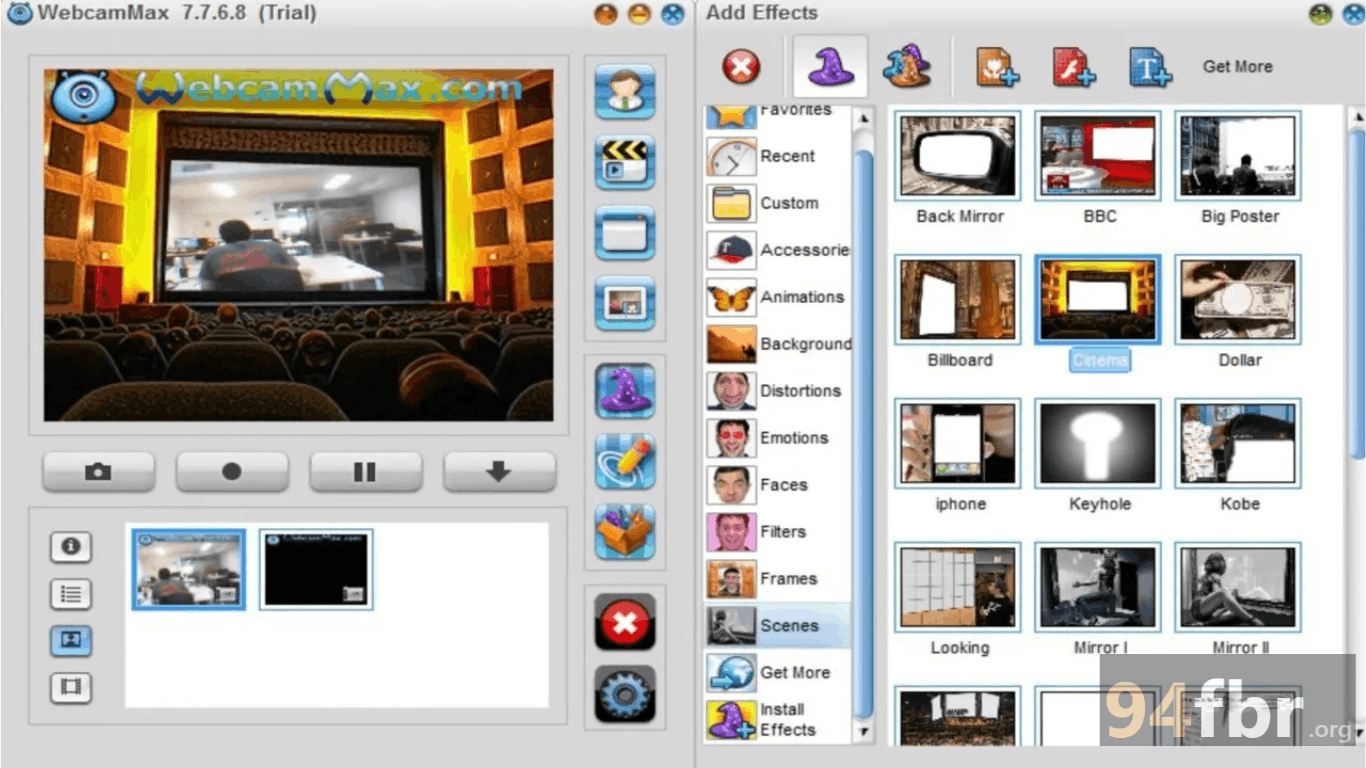
WebcamMax 8.0.7.8 For Windows Download | 94FBR screenshot 1
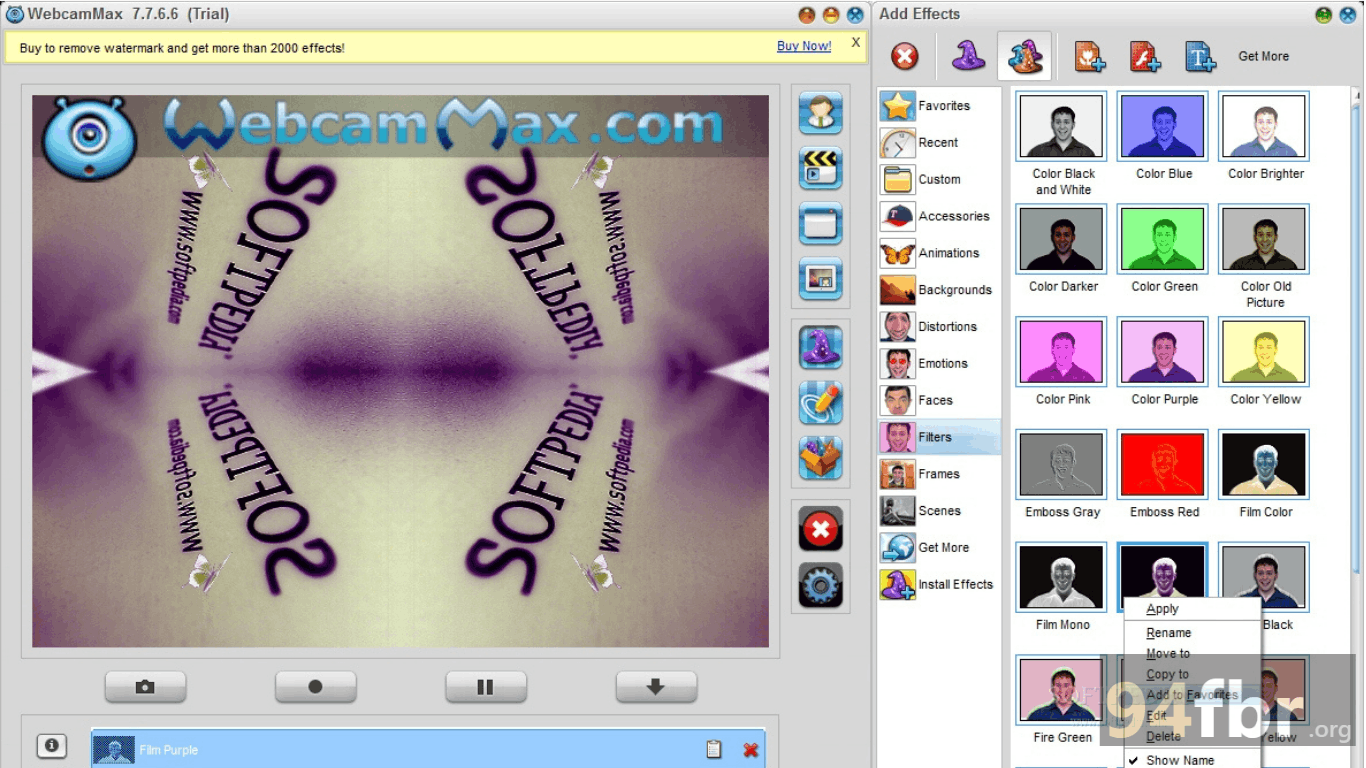
WebcamMax 8.0.7.8 For Windows Download | 94FBR screenshot 2

Features

  • Virtual Camera Driver Integration: Broadcasts pre-recorded video clips, full desktop screens, isolated application windows, or static images as a live camera source.
  • Massive Visual Effect Library: Applies thousands of real-time filters, face-tracking masks, transformation tools, and animated overlays to your camera feed.
  • Camera Splitting Multi-Broadcasting: Routes a single physical webcam feed to multiple video calling or live streaming applications simultaneously without hardware locking.
  • Live Screen Doodling: Allows you to draw freehand, stamp icons, and annotate directly over the active video frame during live video calls.
  • Real-Time Face Tracking: Automatically tracks facial movements to align virtual hats, glasses, masks, and facial distortions accurately as you move.
  • Instant Media Capture & Sharing: Takes high-resolution snapshots and records video clips directly from the interface for quick local saving or direct upload.

Requirements

Version
8.0.7.8
File size
24.94 MB
Platform
Windows
Requirements
Windows 10 or Windows 11, 4 GB or more
Developer
Yewsoft Inc.
Licence
Proprietary
Language
Multiingual
Release date
Aug 23, 2023
Downloads
88,052

How to install

  1. Download Official Installer: Download the official Windows installation package to your PC.
  2. Execute Setup File: Locate the installer package in your Downloads folder and double-click the setup file. Click Yes when the Windows User Account Control (UAC) prompt requests administrative privileges.
  3. Run Installation Wizard: Choose your preferred display language from the wizard menu, click Next, and accept the License Agreement.
  4. Register Virtual Camera Driver: Select your installation destination path and click Install. Allow the wizard to install the kernel-level virtual camera drivers.
  5. Launch Software & Select Camera: Open WebcamMax from your Desktop or Start Menu, select your default physical webcam under Source Options, apply your chosen visual effects, and select WebcamMax Capture inside your target video app (Zoom, Skype, or OBS).

Pros & cons

Pros

  • Lightweight memory footprint (~25 MB installer) that installs quickly on legacy and modern Windows systems.
  • Camera splitting capability resolves native Windows hardware lockouts across multiple communications apps.
  • Integrated screen capture functionality makes delivering quick desktop presentations straightforward.
  • Intuitive drag-and-drop user interface allows fast application of visual effects.

Cons

  • The unactivated trial version places a promotional watermark over the video output feed.
  • High-density 3D facial masks can increase rendering overhead on low-end dual-core processors.

Related in Multi-Media

View all

Leave a reply