Adobe Acrobat Reader DC for Windows Download | 94FBR

Free download Adobe Acrobat Reader DC for Windows Download | 94FBR 26.002.21869 825.8 MB · Windows · 19,183 downloads

Overview

Adobe Acrobat Reader DC for Windows download equips your PC with the global standard software for viewing, printing, signing, and annotating PDF documents. Developed by Adobe, Acrobat Reader DC integrates cloud storage services, protected document encryption, and advanced fill-and-sign features into a clean desktop interface.

This detailed technical guide provides full software specifications, core feature breakdowns, pros and cons, system hardware requirements, and step-by-step installation instructions.

Adobe Acrobat Reader DC for Windows operates as an enterprise-grade document management environment. Beyond standard viewing, it processes interactive forms, embedded digital signatures, high-resolution CAD schematics, and password-protected files.

The software leverages Adobe Document Cloud to keep your files synced across desktop and mobile devices. With built-in integrations for cloud storage platforms like Google Drive, Microsoft OneDrive, and Dropbox, Acrobat Reader DC lets you comment, highlight, and sign forms without leaving your preferred storage workflow.
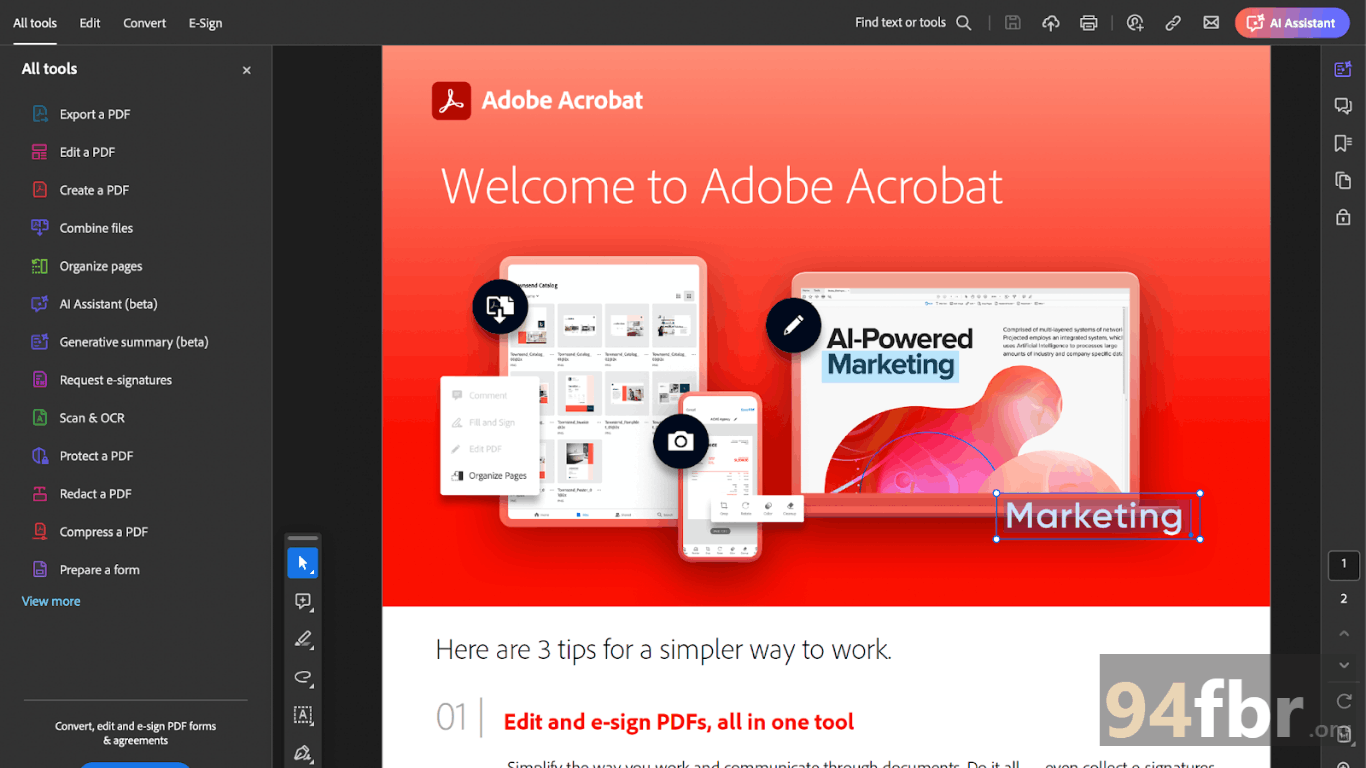
Screenshots

Adobe Acrobat Reader DC for Windows Download | 94FBR screenshot 1
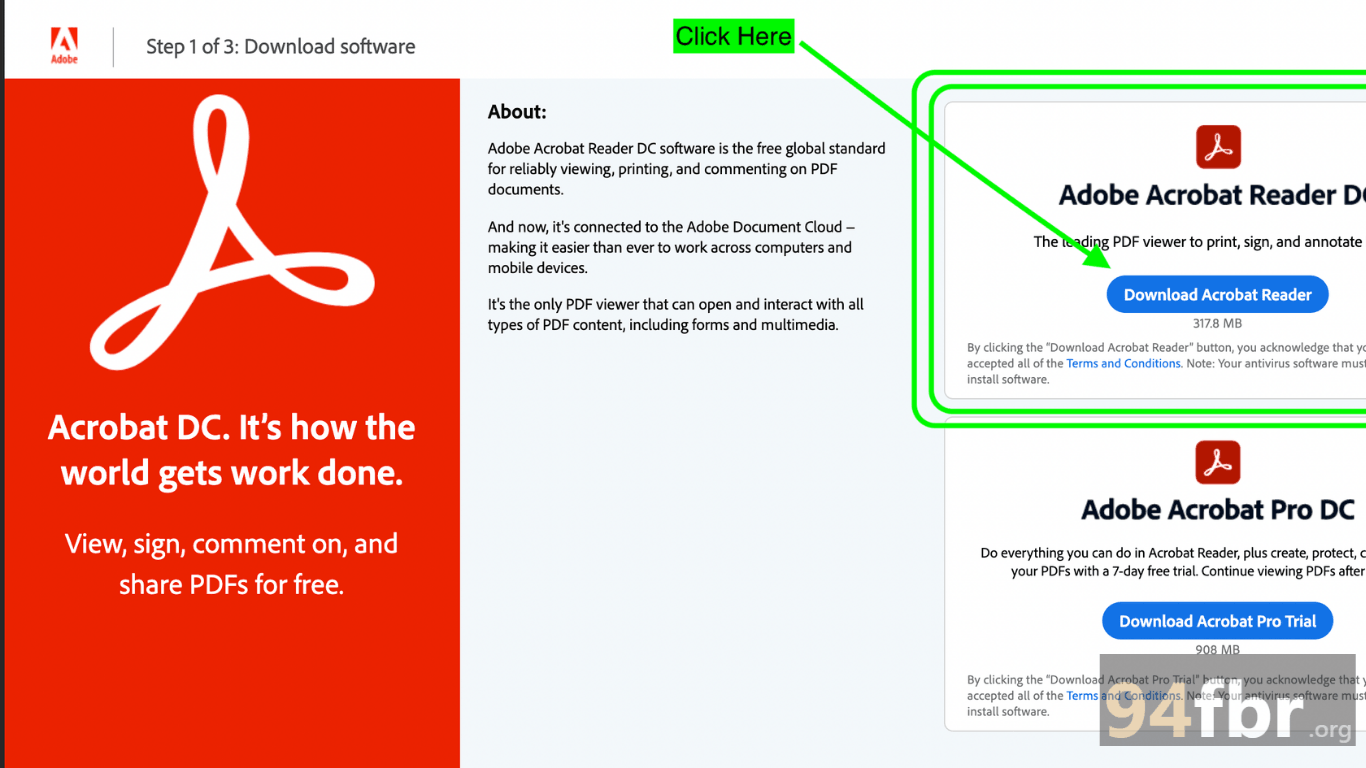
Adobe Acrobat Reader DC for Windows Download | 94FBR screenshot 2

Features

  • Interactive Form Filling & Electronic Signatures: Fills out interactive PDF forms quickly and adds verifiable digital signatures using the native Fill & Sign engine.
  • Adobe Document Cloud Syncing: Syncs document progress, active comments, and recent files across desktop, web, and mobile platforms.
  • Annotation & Markup Tools: Adds sticky notes, text highlights, freehand drawings, stamps, and shapes directly to PDF pages.
  • Protected Mode Security: Runs PDF execution inside an isolated sandbox environment to block malicious scripts and security threats automatically.
  • Accessibility & Read Out Loud: Offers Liquid Mode, custom text scaling, high-contrast themes, and screen-reader support for visually impaired users.
  • Cloud Storage Integration: Connects directly with Microsoft OneDrive, Google Drive, Box, and Dropbox for seamless online file access.

Requirements

Version
26.002.21869
File size
825.8 MB
Platform
Windows
Requirements
Windows 10 or Windows 11, 4 GB or more
Developer
Adobe
Licence
Proprietary
Language
Multiingual
Release date
Aug 29, 2026
Downloads
19,183

How to install

  1. Download Setup Installer: Visit the official Adobe download page and click Download Acrobat Reader to fetch the setup executable.
  2. Execute Setup File: Open your Downloads folder and double-click. Click Yes when the Windows User Account Control (UAC) prompt requests permission.
  3. Run Automatic Installation: The Adobe installer will download core application components and unpack software dependencies automatically.
  4. Complete Setup: Wait for the green progress bar to complete, then click Finish.
  5. Launch Software & Set Default: Open Adobe Acrobat Reader DC from your Desktop or Start Menu, accept the default prompt to set Acrobat Reader as your primary PDF handler, and begin viewing documents.

Pros & cons

Pros

  • Industry-standard compatibility ensures flawless rendering of complex PDF layouts, forms, and CAD drawings.
  • Robust security architecture (Protected Mode) isolates untrusted PDF files from your Windows core files.
  • Free Fill & Sign tools simplify signing contracts and completing electronic forms without printing.
  • Deep cloud synchronization keeps documents accessible across all personal devices.

Cons

  • The offline installer package file size (~825 MB) requires more storage than lightweight alternative PDF readers.
  • Advanced PDF editing features such as text re-writing, page splitting, and PDF conversion—require a paid Acrobat Pro subscription.

Related in Adobe

View all

Leave a reply